kls4d in your Account — in Start.
kls4d Playtech Live Casino on Android & iOS
Account opening starts with email verification, KYC documents, and a deposit method—then you access Playtech's live-dealer studios on kls4d. Playtech is a major game provider whose blackjack, roulette, baccarat, and Dragon Tiger tables stream across our platform in HD. We've optimized the video feed for mobile, so whether you're on Android or iOS, the dealer view stays smooth even on standard 4G connections.
Open an account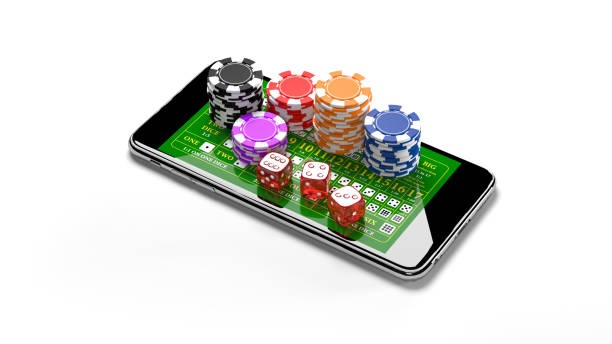
Playtech
- Game
- Category
- Live Table / Card
- RTP
- medium
Playtech tables on kls4d operate around the clock, with multiple studios running simultaneously to accommodate peak demand. During Liga 1 season or around Idul Fitri holidays, our live-dealer capacity scales to handle traffic spikes. You can join a table within seconds, place a bet in Indonesian Rupiah (IDR), and interact with a live dealer in real time. Our mobile app streams the tables natively, and the browser version works just as well if you prefer not to install software.
Playtech Live-Dealer Tables on kls4d
Playtech is a game provider that specializes in live-dealer experiences. On kls4d, we host Playtech's blackjack, roulette, baccarat, and Dragon Tiger studios. Each table is staffed by a professional dealer and streamed in HD video with multi-camera angles. You can switch between dealer-view and table-view, giving you control over how you experience the game.
The appeal of Playtech tables on our platform is consistency and transparency. Every hand is dealt according to standard casino rules. Every spin is random and unmanipulated. We do not adjust odds per player or session. The dealer's actions are visible on camera, so you can verify that the game is fair. This transparency builds confidence, especially for players new to live-dealer gaming.
Playtech tables also support multiple bet levels, so both conservative and aggressive players can find a table that suits their budget. You can join a table with low minimum bets if you're learning the game, or a high-stakes table if you prefer larger wagers. Our system matches you to available tables based on your bet preference, so you don't waste time searching.
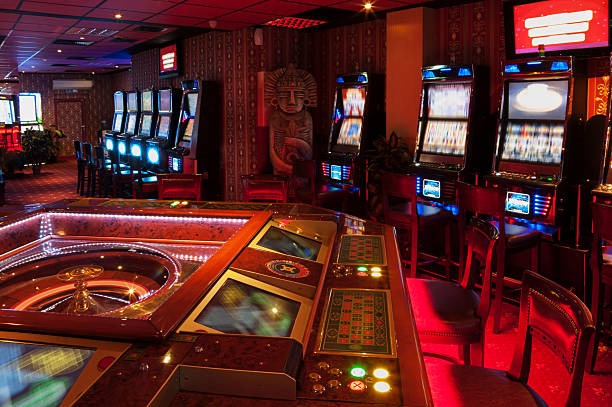
Multi-camera studio experience
Playtech studios feature multiple camera angles so you can choose your view. Watch the dealer's hands, the table layout, or a wide shot of the entire studio. You control the camera feed, not the other way around.
Our mobile app optimizes video streaming for low-data connections. Even on a standard 4G network, the feed stays smooth without buffering. This is especially useful if you're playing from Surabaya, Bandung, or Medan where network speeds vary throughout the day.
Game Rules and Betting Mechanics
Playtech tables on kls4d follow standard casino rules. Blackjack uses a shoe of multiple decks, and the dealer stands on 17. Roulette is European (single zero) or American (double zero) depending on the table. Baccarat follows standard Punto Banco rules. Dragon Tiger is a simplified card game where you bet on which hand (Dragon or Tiger) will draw the higher card.
Betting is straightforward: you place your chips on the table layout using your mouse or touchscreen, and the dealer confirms your bet before the hand begins. Once the hand is in progress, you cannot change your bet. This prevents confusion and ensures fair play. The outcome is determined by the cards dealt or the wheel spin, and payouts are calculated automatically.
Playtech tables also include a chat feature so you can communicate with the dealer and other players. The chat is moderated to keep the environment respectful. You can ask the dealer questions about the rules, and they'll answer between hands. This social element makes live-dealer gaming feel more interactive than solo slot play.
Funding Your Account for Playtech Tables
Before you join a Playtech table, you deposit funds into your kls4d account. We accept multiple payment methods tailored to Indonesia's payment ecosystem. DANA, e-wallet, and mobile banking are instant—your balance updates within seconds. local payment and online payment follow the same pattern. Bank transfers (e-wallet, mobile banking, local payment, online payment) process within standard verification windows. e-wallet, our unified QR payment standard, works across all participating banks and e-wallets.
The deposit flow is straightforward: log in, navigate to the cashier, select your payment method, enter the amount, and confirm. The system verifies the transaction and credits your account. From there, you can launch a Playtech table and begin playing immediately. Your account balance is unified across all kls4d products, so winnings from a Playtech blackjack table can be used to fund a slot session or a sportsbook wager on Liga 1.


Why Playtech Tables Fit Our Platform
We chose Playtech because the provider's live-dealer studios are reliable, transparent, and mobile-optimized. Playtech has been operating live-dealer games for years, and their infrastructure is built to handle high traffic without performance degradation. During peak hours—especially around Liga 1 match days or Idul Fitri holidays—Playtech tables on kls4d remain responsive and stable.
Playtech also complements our slot and sportsbook offerings. While our slots (Aviator, Sweet Bonanza, Gates of Olympus) cater to players who prefer solo, fast-paced gameplay, Playtech tables serve those who enjoy real-time interaction with dealers. Both experiences run on the same account, the same wallet, and the same deposit infrastructure. You can switch between a Playtech roulette table and a slot game without logging out or transferring funds.
The video quality on Playtech tables is also exceptional. We stream in HD with low latency, so the dealer's actions appear on your screen almost in real time. This responsiveness is crucial for live-dealer gaming because it creates the illusion of being at a physical table. If there's a delay between your bet and the dealer's action, the experience feels disconnected.
Key takeaways
- Playtech tables on kls4d stream in HD with multi-camera angles
- Deposit via mobile banking, local payment, online payment, e-wallet, mobile banking, local payment, or bank transfer
- Tables operate around the clock with multiple studios to accommodate demand
- Play Playtech alongside our slots and sportsbook on the same account
- Low-latency video means smooth, responsive gameplay on mobile
Account Setup and Verification
To play Playtech tables on kls4d, you need an active account. Registration takes a few minutes: provide your email, create a password, and verify your phone number via SMS. We then ask for basic identity information (name, date of birth, address) to comply with local regulations. This verification step protects both you and our platform.
Once verified, your account is live. You can deposit, join Playtech tables, access our slots, and place bets on Liga 1 or Piala AFF matches. Your account balance is unified across all products, so winnings from a Playtech blackjack table can be used to fund a roulette session, and vice versa. We also support withdrawals back to your original deposit method, so moving your winnings back to your bank or e-wallet is straightforward.
Playing Playtech Tables Across Devices
We support Playtech tables on Android phones, iPhones, tablets, and desktop browsers. The video stream adapts to each screen size automatically. On a phone, the table layout stacks vertically so the betting area and dealer view remain accessible. On a tablet or desktop, the layout expands to use the extra space, but the core controls stay in the same logical positions.
Our app (available for Android and iOS) bundles Playtech tables with our full platform, so you get faster load times and offline account access. If you prefer not to install an app, the mobile browser version works just as well—no download required, no storage space consumed. Start a Playtech blackjack session on your phone during your commute in Jakarta, then log in from your desktop at home and your account balance, game history, and deposit methods are all there.
Cross-device continuity
We sync your account in real time across devices. This continuity extends to our slots and sportsbook. You can check Piala AFF odds on your phone, switch to a Playtech roulette table on your tablet, and then review your account statement on desktop—all without re-authenticating.
Your session history is also preserved across devices. If you pause a Playtech session on your phone, you can resume it on your tablet or desktop without losing your place or your account balance.
Support and Troubleshooting
If a Playtech table does not load, or if you encounter any issue during play, our support team is available in English. We respond to account questions, payment inquiries, and technical issues during standard business hours. You can reach us via email, live chat, or phone—all channels are listed in your account settings.
Common issues (slow video, connection drop, payment delay) are usually resolved within minutes. We maintain detailed logs of every transaction and game session, so if a dispute arises, we can review the exact sequence of events and resolve it fairly. If you experience a technical problem during a Playtech session, contact us immediately and we can investigate what happened.
Playtech and Responsible Access
Our services are available only where local law permits. Users are responsible for verifying that access and use comply with their own jurisdiction's law. We do not offer our services in jurisdictions where online gaming is prohibited.
If you have questions about whether kls4d is available in your region, contact our support team. We can clarify the legal status in your area and help you understand your obligations. We also encourage you to set account preferences that align with your personal gaming habits, such as account preferences or session reminders.